

75TR3DK-BM
2.581,52 €
75TR3DK-BM
14 disponibili
Acquistabile con i fondi degli avvisi attivi — ti aiutiamo a individuare il bando giusto per la tua scuola.
- DM 38/2026 – Acquisto dispositivi digitali, libri e sussidi didattici3 giorni
- Fondi PNRR per scuole superiori: fino a 600.000 euro per laboratori STEM e multilinguismo
- DM 38/2026 : Fondi per Formazione Docenti e Dotazioni Digitali al Personale Scolastico
Descrizione
LG CreateBoard lavagna interattiva 190,5 cm (75″) 3840 x 2160 Pixel Touch screen Nero USB / RF WirelessA New Level of Classroom with LG CreateBoard
Various Teaching Templates
LG CreateBoard offers a variety of educational templates and teaching tools such as a ruler, table, and sticky notes, allowing for active engagement by students and enabling intuitive classes. Editing images and videos becomes easy with LG CreateBoard, and created resources can be easily shared with others through QR codes.
Multi-touch
LG CreateBoard can simultaneously detect up to 40 points for multi-touch functionality. This creates a lifelike board touch experience, helping students easily become accustomed and truly engage in classes. This leads to the maximum concentration and organic engagement of students.
Easy to Save / Import / Export
LG CreateBoard includes simple import and export functionality. Resources can be saved and imported directly to and from Google Drive or OneDrive, and files can be imported from a USB drive (Users can browse resources saved on USB storage).
Wireless ScreenShare
LG CreateBoard Share enables users to show up to 9 shared screens or a file on a screen in real-time when the LG CreateBoard Share app is installed on the device. Also, files from the host can be easily sent to any devices connected to the LG CreateBoard Share app, and several quick controls by the host are available.
LG ConnectedCare DMS
LG ConnectedCare DMS is a cloud solution for remotely monitoring, controlling, and managing the status of LG CreateBoard installed in educational environments. This feature enables IT managers to operate and manage important resources on operating devices without physically visiting sites.
Remote-control / Scheduling
Frequently used controls such as the power on/off, scheduling, brightness, and screen lock functions can be applied using a remote control.
Broadcasting / Alert Messaging
Messages and a range of other content can be sent from the main system to individual classroom devices connected to LG ConnectedCare DMS. In case of urgent occasions such as a fire or a natural disaster, alert messages can be distributed manually across the system, which help teachers and students promptly take safety action.
Threshold Settings
Users can set thresholds in eight categories including display temperature, memory usage, or signal, and can receive warning or error notifications based on their threshold settings.
Monitoring & Fault Diagnosis
An engineer can check the status in real-time and diagnose problems remotely. Also, the current status of issues can be categorized, allowing for easy viewing and quick responses.
Issue Management
Remote issue management can be carried out by the LG ConnectedCare DMS solution. This makes management safer and more efficient, facilitating the stable operation of the classroom.
Bluetooth Connectivity
LG CreateBoard supports wireless Bluetooth connections to various devices such as a speaker, mouse, keyboard, etc. This is optimal for building a hybrid environment so that online and offline classes can proceed smoothly.
C-type Connection
USB-C connectivity simplifies connections which enables charging and sending data simultaneously over just one single cable.
QR Login for Easy Cloud Access
The QR code on the home screen reduces preparation time for class by enabling personal device verification. Users can sign up for a variety of apps on the LG CreateBoard including Google Drive and OneDrive with just one QR verification without any additional login process. Once a lesson is finished, users can simply click the Logout button to disconnect, thus the risk of a personal information leak is reduced.
Advanced Eye-Care
LG CreateBoard has introduced a flicker-free function. With the reduced flickering of the monitor’s backlight, users can use the device with more comfort even when using it for a long time.
Front Connectivity Design
LG CreateBoard features front display ports and speakers which are ideal for both teachers and students, enabling content to be delivered easier with more immersive sound.
Built-in OPS Slot
LG CreateBoard supports OPS slots, allowing you to easily and conveniently mount OPS desktop at the back of the LG CreateBoard without the hassle of connecting to an external desktop, offering you more expanded functions.
Smart Viewing
The Smart Viewing feature of LG CreateBoard enables efficient teaching. Two or more materials can be displayed on the same screen simultaneously without having to repeat Alt-tab, making teaching more convenient and efficient. Two materials can be displayed side by side (multi window mode), or one material can be overlaid on the other one (picture-in-picture mode).
Power Saving
When a device doesn’t receive an external input signal for a specific amount of time set by the user, the device goes into standby mode. Devices can also be automatically turned on or off at specific time or day set by the user, which contributes to save energy.
Secure Function
Screen Lock
Teachers can lock the screen using the Screen Lock function, and unlock it by entering a password. Users can set the Screen Lock in the Settings menu to protect the device from unidentified users.
Secure Mode
LG CreateBoard supports Secure Mode that disables the LG CreateBoard Share function to prevent unauthorized content from being shown on various devices.
USB Lock Mode
USB Lock Mode is a security measure that helps prevent data from being copied to unauthorized devices, which is essential when being used in spaces where security is critical.
Auto-remove Files
Users can set LG CreateBoard to delete files regularly for enhanced security.
Easy Transportation with LG Universal Stand
The LG Createboard can be used anywhere indoors where it can be easily wheeled around. From classrooms to in-between spaces, it plays various roles according to each need such as lectures, group discussions, school announcements, and more.
DISPLAY
| Utilizzo | Monitor Interattivo |
|---|---|
| Angolo di visione orizzontale | 178 ° |
| Angolo di visione verticale | 178 ° |
| Contrasto dinamico | 5000 :1 |
| Contrasto standard | 1200 :1 |
| Risoluzione video | 4K (UHD) |
| Formato | 16:9 |
| Luminosità | 440 cd/m² |
| Lunghezza diagonale (polliciaggio) | 75 ” |
| Tecnologia pannello | LED |
| Tempo di risposta | 8 ms |
| Risoluzione massima orizzontale | 3840 |
| Risoluzione massima verticale | 2160 |
| Frequenza ottimale | 60 Hz |
GENERALE
| Tecnologia Touch screen | Multitouch |
|---|---|
| Colore principale | Nero |
| Contenuto della confezione | Telecomando portatile, Cavi inclusi: HDMI,Power,USB Type-A to Micro USB Type-B |
FEATURES
| Altre certificazioni | EDLA |
|---|---|
| Altre caratteristiche | Schermo antiriflesso, Wi-Fi standard: Wi-Fi 6E (802.11ax) |
AUDIO
| Nr altoparlanti | 2 nr. |
|---|---|
| Potenza | 30 W |
| Multimediale | Sì |
CONNESSIONI
| Nr porte usb | 4 |
|---|---|
| HDMI | 3 |
CONSUMI
| Potenza assorbita in esercizio | 225 W |
|---|
VESA FLAT DISPLAY MOUNTING INTERFACE (FDMI)
| Supporto montaggio vesa | Sì |
|---|---|
| Formato VESA FDMI (Flat Display Mounting Interface) | MIS-F (800x400mm) |
DIMENSIONE E PESO
| Altezza | 102 cm |
|---|---|
| Larghezza | 170.9 cm |
| Profondità | 8.8 cm |
| Peso | 47300 gr |
SOLUZIONI
| Scuola Digitale | Più richiesti EDU |
|---|
DIMENSIONI CON IMBALLO
| Lato A | 186.3 cm |
|---|---|
| Lato B | 22.5 cm |
| Lato C | 114 cm |
| Peso con imballo | 60.6 kg |
Informazioni aggiuntive
| Peso | 57,200 kg |
|---|---|
| Dimensioni | 114,0000 × 186,0000 × 22,0000 cm |
| Marca | LG MONITOR LFD |
| Utilizzo | Monitor Interattivo |
| Angolo di visione orizzontale | 178 ° |
| Angolo di visione verticale | 178 ° |
| Contrasto dinamico | 5000 :1 |
| Contrasto standard | 1200 :1 |
| Risoluzione video | 4K (UHD) |
| Formato | 16:9 |
| Luminosità | 440 cd/m² |
| Lunghezza diagonale (polliciaggio) | 75 '' |
| Tecnologia pannello | LED |
| Tempo di risposta | 8 ms |
| Risoluzione massima orizzontale | 3840 |
| Risoluzione massima verticale | 2160 |
| Frequenza ottimale | 60 Hz |
| Tecnologia Touch screen | Multitouch |
| Colore principale | Nero |
| Contenuto della confezione | Telecomando portatile, Cavi inclusi: HDMI,Power,USB Type-A to Micro USB Type-B |
| Altre certificazioni | EDLA |
| Altre caratteristiche | Schermo antiriflesso, Wi-Fi standard: Wi-Fi 6E (802.11ax) |
| Nr altoparlanti | 2 nr. |
| Potenza | 30 W |
| Multimediale | Sì |
| Nr porte usb | 4 |
| HDMI | 3 |
| Potenza assorbita in esercizio | 225 W |
| Supporto montaggio vesa | Sì |
| Formato VESA FDMI (Flat Display Mounting Interface) | MIS-F (800x400mm) |
| Altezza | 102 cm |
| Larghezza | 170.9 cm |
| Profondità | 8.8 cm |
| Peso | 47300 gr |
| Scuola Digitale | Più richiesti EDU |
| Lato A | 186.3 cm |
| Lato B | 22.5 cm |
| Lato C | 114 cm |
| Peso con imballo | 60.6 kg |
Prodotti correlati


3.053,28 €
IVA escl.
2.860,00 €
IVA escl.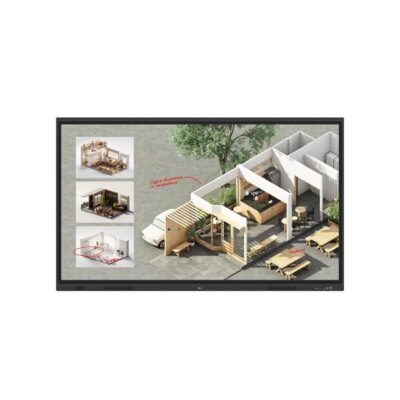

3.125,00 €
IVA escl.

4.459,84 €
IVA escl.

4.913,00 €
IVA escl.
4.163,00 €
IVA escl.